I built a sound mode switcher for my Mac
TVs and soundbars have sound modes. Press a button and you get Cinema, Voice, or Night. My Mac has nothing like that. Turn the volume up to hear the dialogue, and the next explosion is far too loud. So I built SoundModes. It’s a free, open-source menu-bar app. Pick a mode, and everything your Mac plays goes through it.
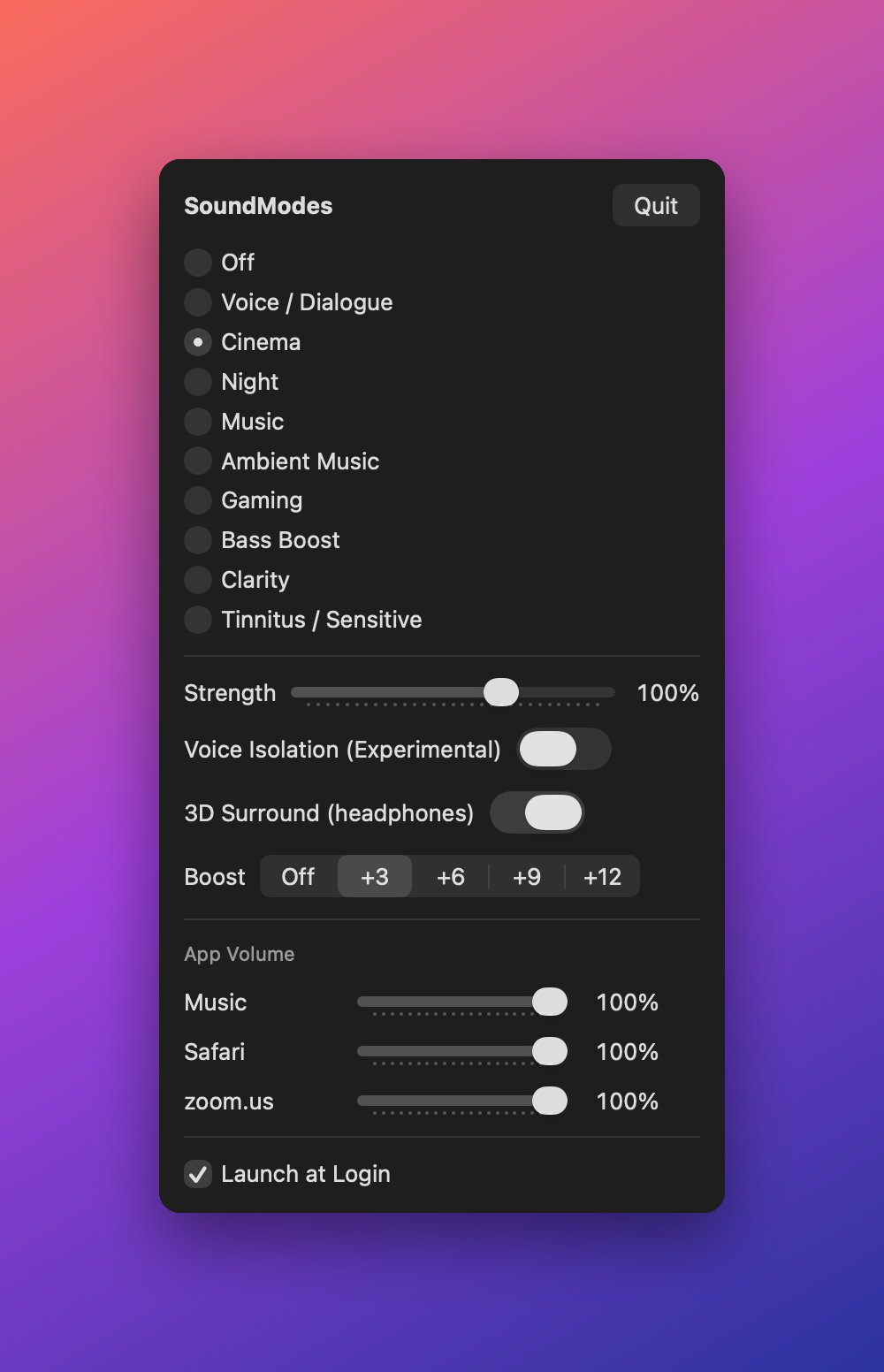
It took four days, from the first line of code to v0.1.2. I built it with Claude Code as a pair programmer. This post covers how the app works and the parts that surprised me.
The trick that makes it possible
Until recently, processing all system audio on a Mac meant installing a virtual audio driver. You had to route your output through it and hope nothing broke after an OS update.
macOS 14.2 added Core Audio process taps. An app can ask for a copy of the audio other apps are playing, and can mute the original at the same time. SoundModes taps every app, mutes the originals, runs the audio through its own effects, and plays the result. No driver to install, and no output device to switch to.
A tap can also cover a single app. That made per-app volume easy. Each app that is playing gets its own tap and its own slider.
Every mode is a short chain of effects
Each mode runs the same chain in AVAudioEngine. The first stage is my own code, and the rest are Apple’s built-in audio units:
- A mid/side stage, which can lift the centre (where voices usually sit) or widen the sides.
- A 5-band EQ.
- A compressor, which brings quiet and loud parts closer together.
- A reverb, for a touch of room.
- A peak limiter, so nothing ever clips.
A mode is just a set of numbers for those five stages. Night mode compresses hard and cuts bass. Voice mode cuts rumble and lifts the centre. Tinnitus / Sensitive turns down the harsh 2 to 8 kHz range.
The rule I cared about most is that every mode is level-matched to Off. Louder always sounds “better” at first, so a mode that is only louder is cheating. A small script, check.sh, plays test audio through every mode and fails if any is more than 0.5 dB away from Off. It runs in CI on every push to main and on every pull request.
Protecting speakers
There is a Boost control, up to +12 dB, because some videos are mastered too quiet. MacBook speakers are small, so Boost is capped at +6 dB on built-in speakers. It goes in front of the limiter, so it can make things louder but never make them clip.
Voice isolation with a small AI model
The experimental Voice Isolation toggle uses DeepFilterNet, an open-source model that removes everything except voices, in real time. It’s written in Rust, so I build it as a small library and the app loads it at runtime.
It’s a 12 MB download most people won’t need, so it doesn’t ship in the app. The menu offers to download it. The app checks the file against a SHA-256 hash pinned in the code before it loads it. That is the only network request the app ever makes.
The whole app is one Swift file
There is no Xcode project. The app is one file, main.swift, about 1,050 lines, built by a 28-line shell script with only the Command Line Tools. The menu is plain SwiftUI. I expected to need more structure than that, and never did.
Even the icon is code. A 59-line Swift script draws the waveform on a gradient and writes the .icns file. The screenshot above comes from the app too: run it with --screenshot and it draws its own menu into a PNG.
The rough edges were all macOS
The audio part went faster than I expected. Most of the last two days went to getting the app onto other people’s Macs.
Permissions. The app needs the “System Audio Recording” permission. If you deny it, the tap gets only silence, but the originals are still muted. The result is a Mac with no sound and no explanation. Now the app checks the permission first. If it was denied, the app leaves your audio alone and shows a banner with a button that opens the right page in System Settings.
Gatekeeper. The app isn’t notarized by Apple yet, so macOS blocks the first launch. You fix that once, with Open Anyway in Privacy & Security. A downloaded DMG gets blocked too, so you click Open Anyway twice, once for the disk image and once for the app. macOS doesn’t check a zip that way, so it should only ask once. Releases now ship both, and the README points to the zip first.
Try it
SoundModes needs macOS 14.2 or later on Apple silicon. Download it from the releases page. It’s MIT licensed, and issues and pull requests are welcome.